Overview
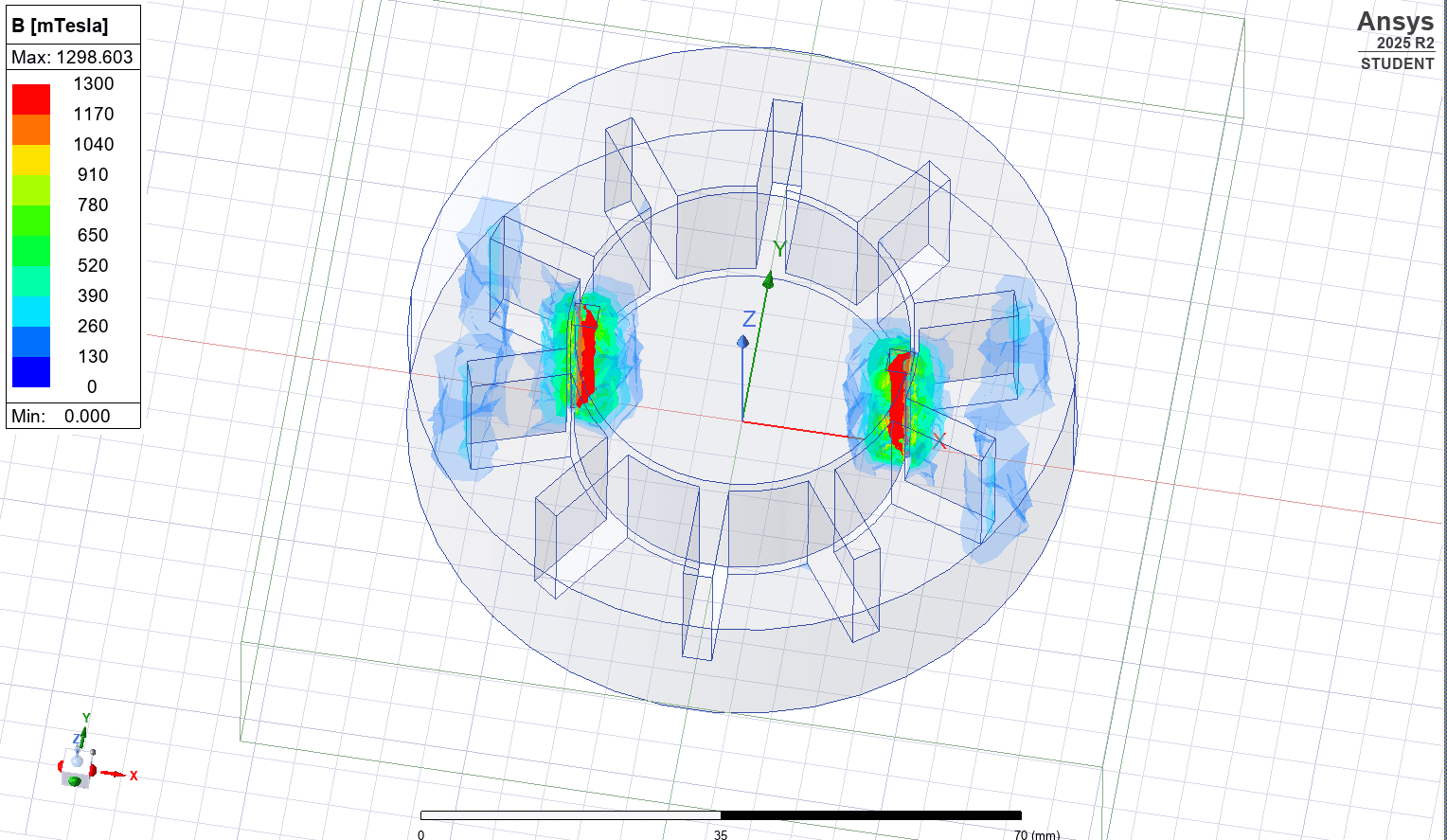
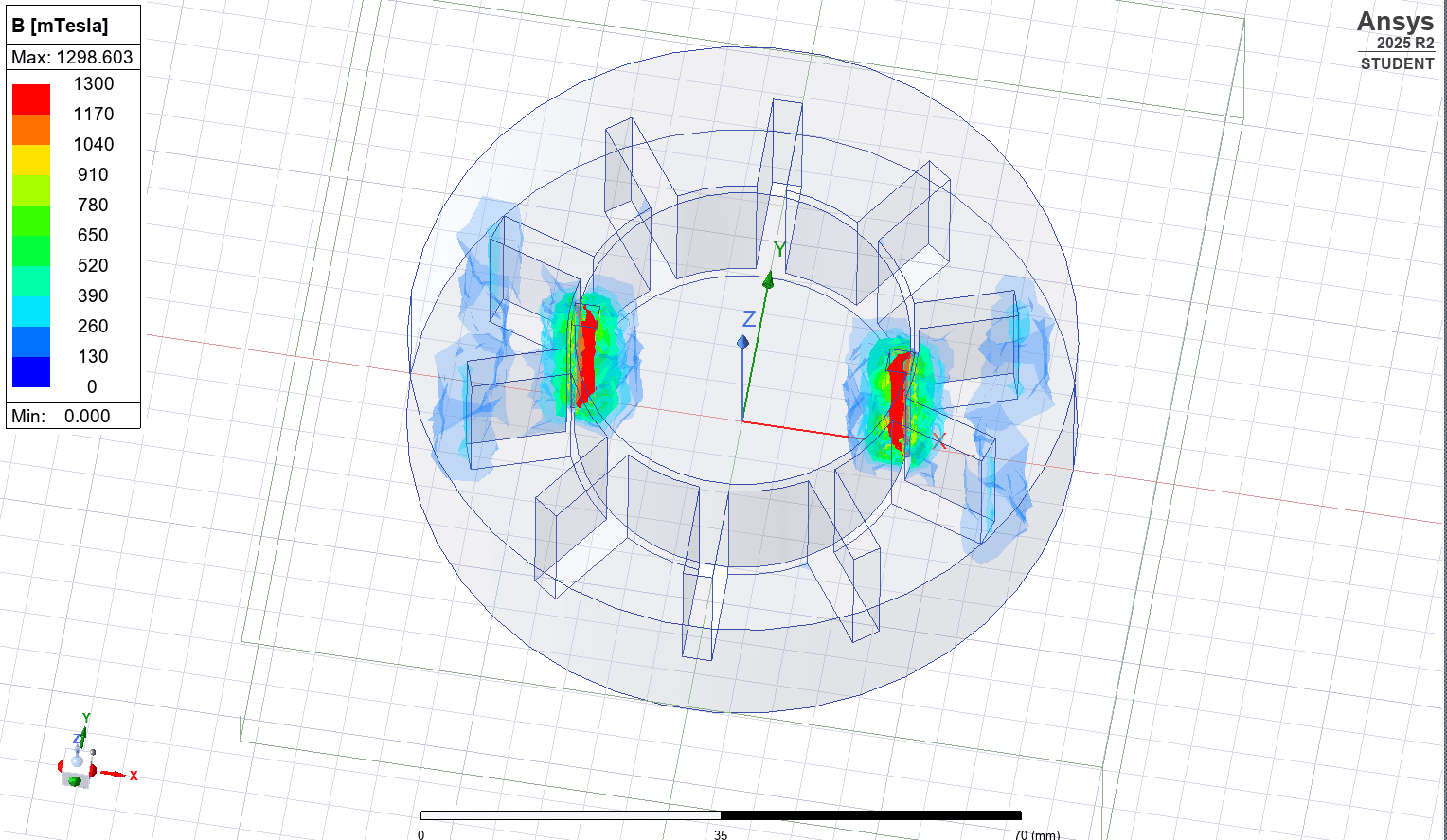
This project brought together mechanical design, simulation, and scripting into a single engineering workflow centered on electric motor development. The motor geometry was designed in SolidWorks, refined for simulation readiness, and then recreated or imported into ANSYS for validation under different operating conditions. Python was used to automate repeated test setups, parameter changes, and analysis tasks, turning what would normally be a manual simulation loop into a more efficient and repeatable process. The result is a multidisciplinary project focused on simulation-driven design decisions rather than isolated modeling. It demonstrates an ability to move from CAD creation to engineering validation, then extend that workflow with software automation to support iteration, consistency, and deeper analysis.
Tech Stack / Tools Used
SolidWorks was used to design and refine the 3D motor geometry, with attention to building a model that was not only mechanically coherent but also suitable for downstream simulation work. ANSYS was used to evaluate behavior across different design conditions, supporting validation and comparison between iterations. Python was used to automate parts of the testing and analysis workflow, including parameter variation, repeated runs, and structured data handling for simulation review.
Key Responsibilities / What I Did
The project covered the full workflow from model creation through analysis automation. Responsibilities included designing the motor in SolidWorks, refining geometry for simulation readiness, importing or recreating the design in ANSYS, evaluating motor behavior under different conditions, and building Python scripts to reduce manual repetition in the testing process. The work also involved interpreting simulation output and using those results to guide further design refinement.
Engineering Workflow
The workflow began with CAD development in SolidWorks, where the motor geometry was built and iterated with simulation in mind. From there, the design was transferred into ANSYS for analysis under multiple conditions so that behavior could be observed and compared in a structured way. Python automation was layered on top of that process to streamline repeated testing, manage parameter changes, and improve the consistency of analysis across iterations. This created a tighter feedback loop between design, validation, and refinement.
Challenges and Problem Solving
One of the main engineering challenges was connecting design work and simulation work in a way that remained efficient across multiple iterations. CAD models often need cleanup or refinement before they are ready for reliable simulation, so the geometry had to be adjusted with downstream analysis in mind. Another challenge was reducing the time cost of repeated testing; Python was used to automate routine analysis steps so different design conditions could be evaluated more systematically and with less manual overhead.
Outcome / What This Project Demonstrates
This project demonstrates the ability to work across mechanical design tools, simulation environments, and software automation in one integrated system. It reflects practical engineering thinking around validation, iteration, and efficiency, and shows how programming can strengthen traditional engineering workflows. More broadly, it highlights the ability to build repeatable technical processes rather than treating CAD, analysis, and scripting as isolated tasks.
Results & Highlights
- Designed and refined a 3D electric motor model in SolidWorks with simulation-readiness in mind.
- Validated design behavior in ANSYS under multiple conditions to support simulation-driven iteration.
- Built Python automation for repeated testing, parameter variation, and analysis workflow efficiency.
- Integrated CAD, simulation, and scripting into a repeatable engineering workflow rather than a one-off model.
Gallery